Sell your car with carsales
Instant Offer™
See T&CsA fast and fair alternative to selling privately
No haggling. Fair and competitive price
Sell in as fast as 24 hours
carsales connects you with an accredited dealer
Maximise your sale price
Get paid more securely through carsales T&Cs apply
List until sold
Secure messaging - we help block spam and scams
Included in all ad packages
Get paid through carsales
The safer, smarter way to get paid from ID document verified buyers^Only available on cars less than $100,000 for now. ^T&Cs apply
Why sell on carsales?
1M+
weekly potential buyers, on average
4.5x
visits of nearest competitor
3,000+
cars sold per week, on average
Our exclusive tools to help you sell
Pricing guidance
Our unique pricing data helps you set the right price to attract serious buyers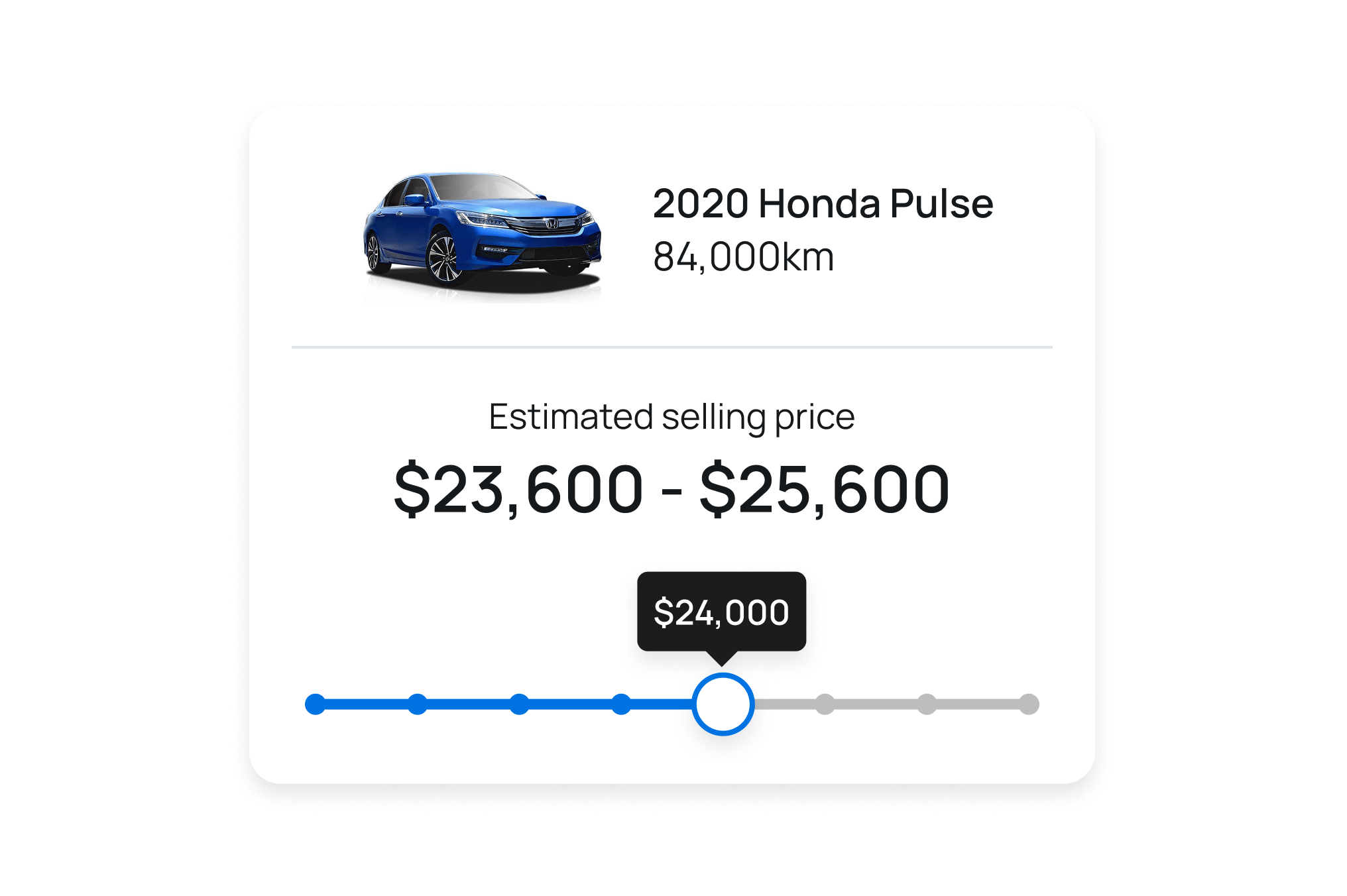
Tailored ad guidance
Our ad rating system, advice and insights help you set up the best ad possible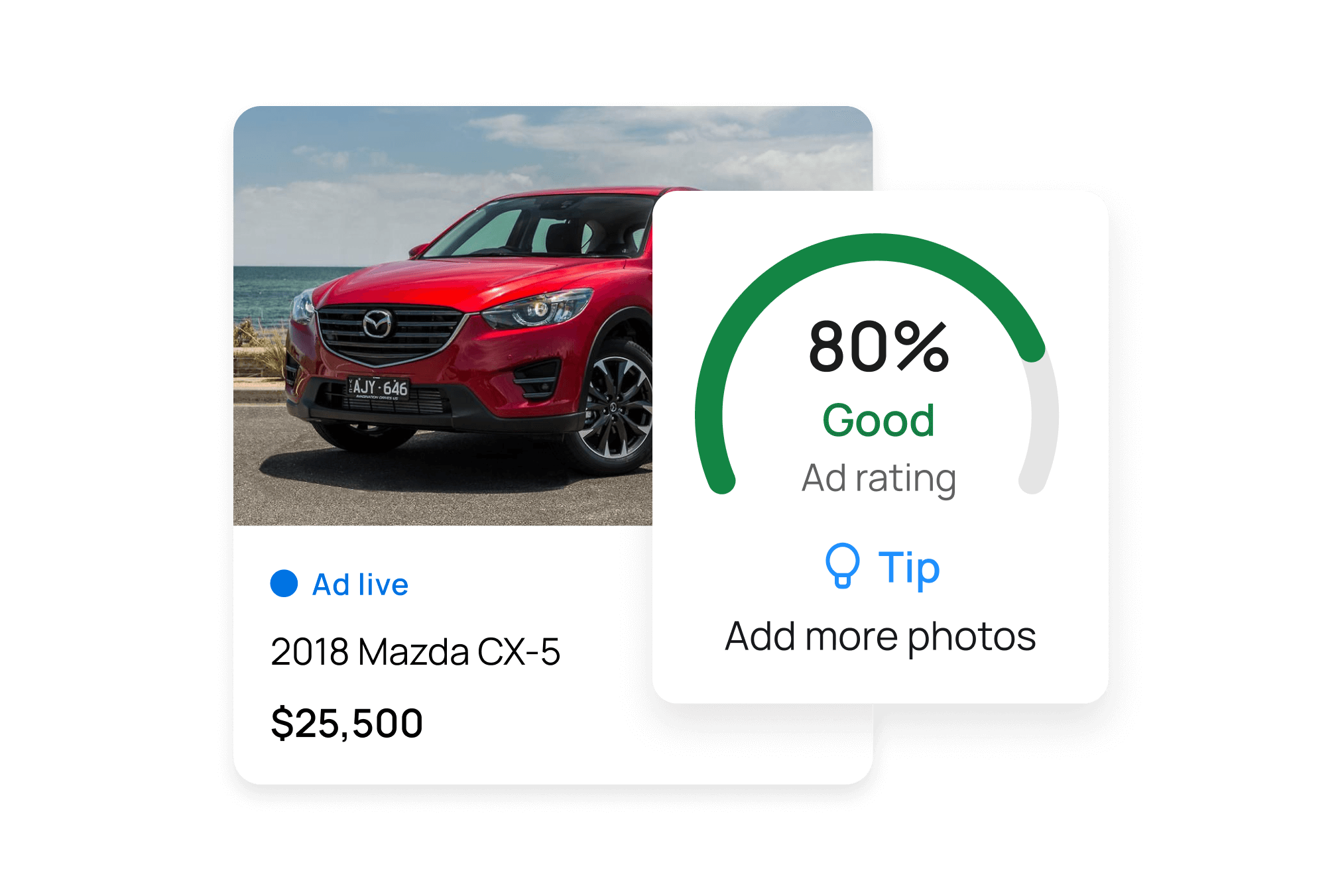
Ad insights
Our dashboard helps you view buyer interest so you can improve your ad performance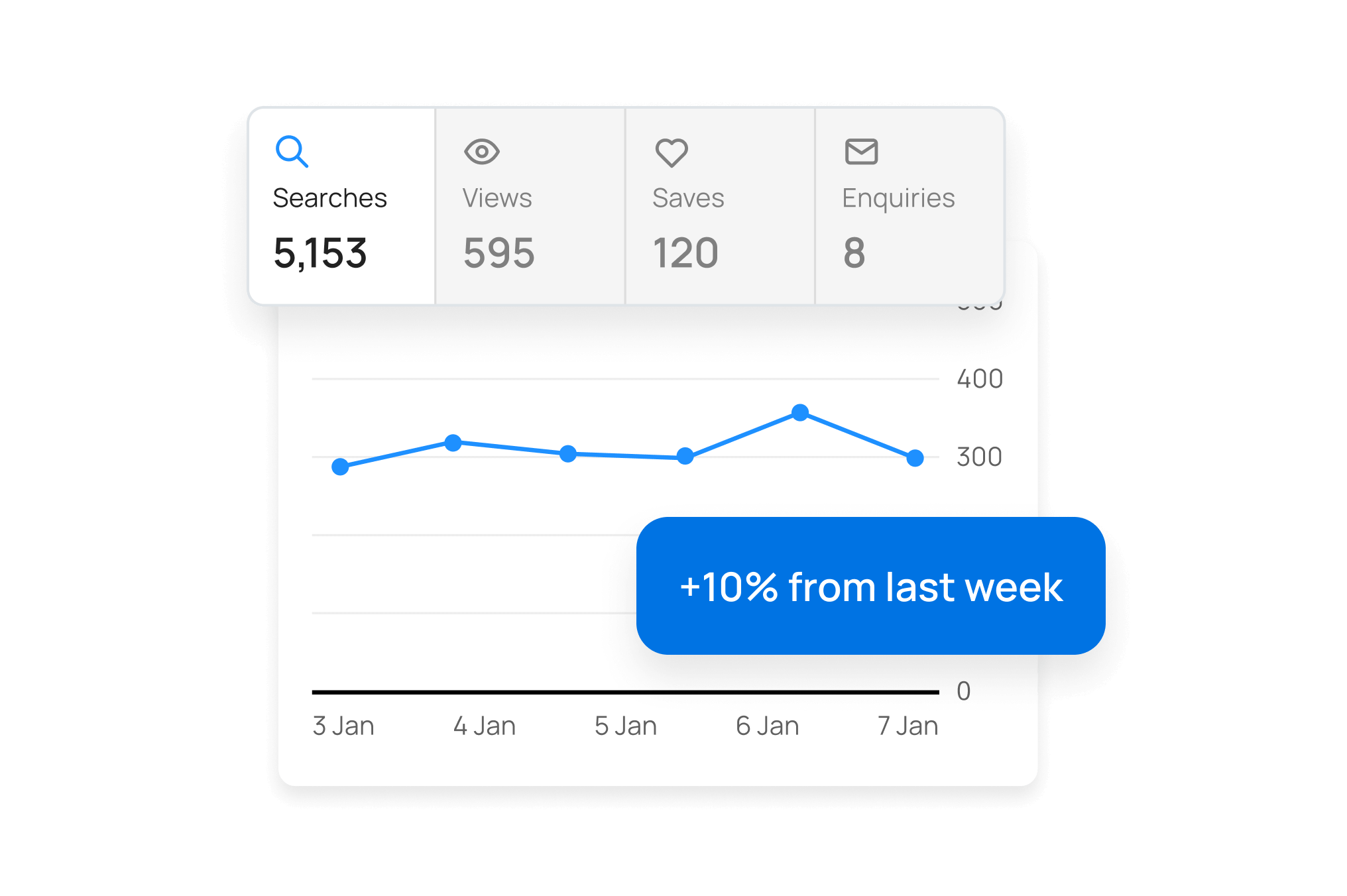
Trust and confidence built in
We have processes designed to block suspicious data and protect against data theft.
We blur registration plates and offer virtual mobile numbers.
Our dedicated trust and safety team is available 7 days a week.
Find the right ad package for you
Feature | Standard | Premium | Ultimate Best performing |
|---|---|---|---|
Search appearances Search appearances Tells you how often ads appear in potential buyers’ search results | 1x | 1.7x more | 2.7x more |
Views by potential buyers Views by potential buyers Tells you how often potential buyers click into and view ads | 1x | 1.4x more | 2.0x more |
Secure car payment Secure car payment The safer and simpler way to get paid | |||
‘Showcase’ ad near top of search results ‘Showcase’ ad near top of search results Positions your ad towards the top of your buyers search results | Upgrade | Upgrade | |
Show a ‘Vehicle History Snapshot’ on your ad Show a ‘Vehicle History Snapshot’ on your ad Gives buyers that extra confidence with a history snapshot of your car | Upgrade | Upgrade | |
Virtual phone number Virtual phone number Replaces your personal phone number with a virtual phone number | Upgrade | Upgrade |

Frequently asked questions
What’s the difference between advertising a car and an Instant Offer?
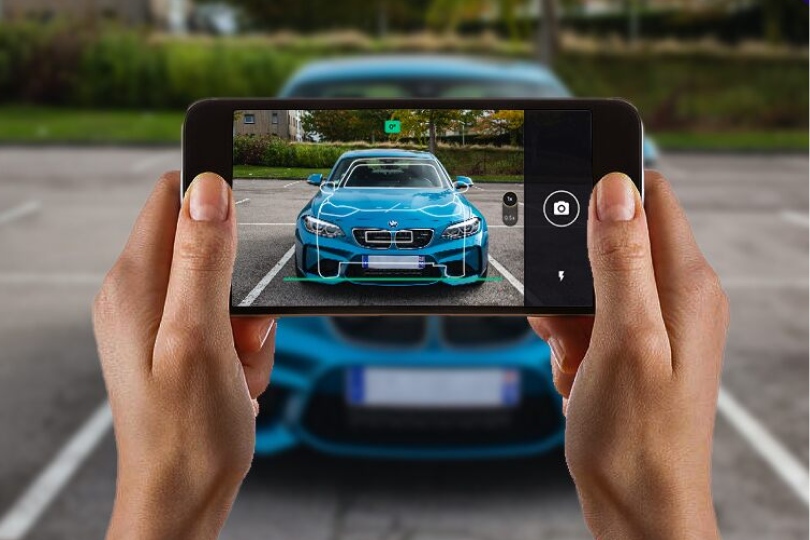
Advertising on carsales involves creating a listing for your car with a one-time upfront payment. You can choose from three different ad packages, each with their own features and inclusions. When you advertise your car on carsales, we provide you with useful guides and tips about what your car might be worth, how to take the right photos and create the best possible ad to attract buyers and our Australian customer service team is always on hand to help.
Instant Offer™ provides a quick, hassle-free way to sell your car to a dealer - like a trade-in but without the need to buy a car from the dealer. We give you a quick online quote, then connect you with an official local dealer who will inspect your car and finalise the details. With Instant Offer™, you can sell your car in as fast as 24 hours and generally you are paid the next business day. Some vehicles aren't eligible for Instant Offer™ but you can check your eligibility by starting your quote.T&Cs apply.
What if my car has finance owing?
If your car is still under finance, there are a few things to consider when selling it:
- Determine the outstanding loan amount by contacting your finance provider.
- Decide if you'll pay off the remaining loan before advertising your car or by using the proceeds of the sale. For many, selling the car is necessary to pay off the loan.
- Be honest about the finance situation in your ad’s comments section to avoid misunderstandings with buyers.
- Many buyers will expect to make a split payment to the finance provider for the outstanding loan amount and to you for any balance remaining. This provides assurance that the finance provider no longer has an interest in the vehicle.
Visit our Help Centre for more information about selling a car under finance.
Do I need a roadworthy certificate/pink slip to sell my car?
In Victoria, a roadworthy certificate is required if the car is registered and the new owner intends to drive it on the road. In Queensland, sellers need to provide a 'Safety Certificate' to the buyer. Other states and territories don't mandate a roadworthy certificate for private sales, but periodic safety inspections may be required based on the vehicle's age.
Buyers often prefer cars with a roadworthy certificate, so disclosing the vehicle's roadworthiness status in your ad can help facilitate a smoother sale process.You do not need a roadworthy certificate or pink slip for an Instant Offer™.Visit our Help Centre for more information about roadworthy certificates.
What should I expect from a buyer inspecting my car?
When a buyer inspects your car, they will scrutinise its merits and flaws. They may offer criticisms to negotiate a lower price, so stay relaxed and open-minded. You can try reduce the on-street haggling by being upfront in your ad about the condition of your car, and including even minor dents and scratches in the photos and comments.During the inspection, the buyer might request a test drive, for which you should clarify your insurance coverage. It's wise to take a photo of their licence and accompany them on the drive to ensure responsible handling but it's for you to decide what you're comfortable with. Be polite but cautious in all interactions to safeguard your interests against potential scams. Remember, it's your car until it's sold.
Visit our Help Centre for more information about what to expect from buyers.
What are my selling options with carsales?
There are two ways to sell with carsales.
Advertising on carsales offers private sellers greater control over the selling process, including setting the price and negotiating with potential buyers. This method typically attracts a higher sale price compared to Instant Offer, our fastest and easiest way to sell. Selling privately can require more effort and time, with tasks such as preparing your car for sale, taking photos, creating your ad, fielding inquiries, arranging viewings/test drives and handling payment However many sellers find that this is the most rewarding way to sell.
Instant Offer™ provides sellers with convenience and a quicker transaction process. After accepting your online Instant Offer quote from carsales, one of our official dealers will contact you to carry out an inspection, finalise the details, complete the paperwork and make payment. You won't need to prepare the car for sale or get a roadworthy certificate. With prices that beat trade-in 83% of the time, we're confident you'll get a great price. Our offers factor in any reconditioning costs, dealer costs and the re-sale value of the car. This is our simplest way to sell. Instant Offer is not available for all cars and terms and conditions apply.
What our customers say

out of 5 based on7,554 reviews
Ready to sell on Australia's go-to for cars?
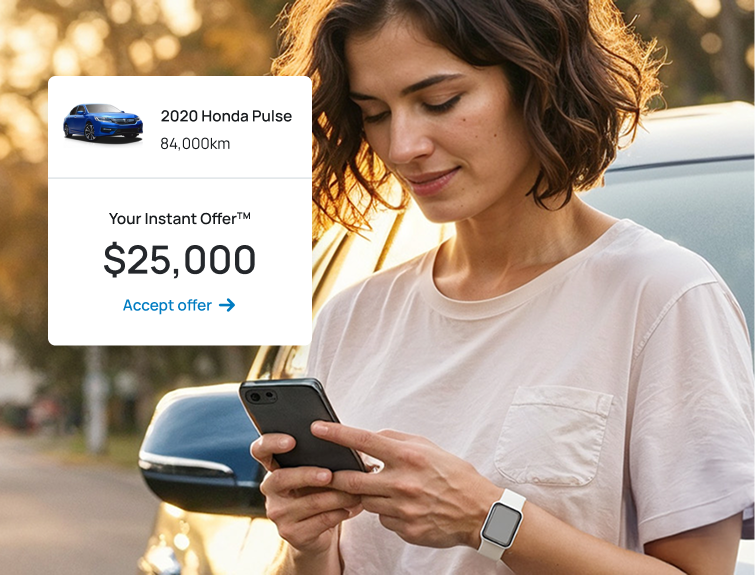
Instant Offer™Sell your car in as fast as 24 hours to an accredited dealer and typically get paid the next business day

Want to sell later?Keep your car in your account. We’ll keep you up-to-date on your car’s value.
For more information, see our Terms & Conditions
Exclusions apply to Instant Offer. See T&Cs
1,2,3
Contact
Advertise with us
Local marketplaces
International marketplaces
Scan to download the carsales app



Want more info? Here’s our app landing page
App Store and the Apple logo are trademarks of Apple Inc. Google Play and the Google Play logo
are trademarks of Google LLC.